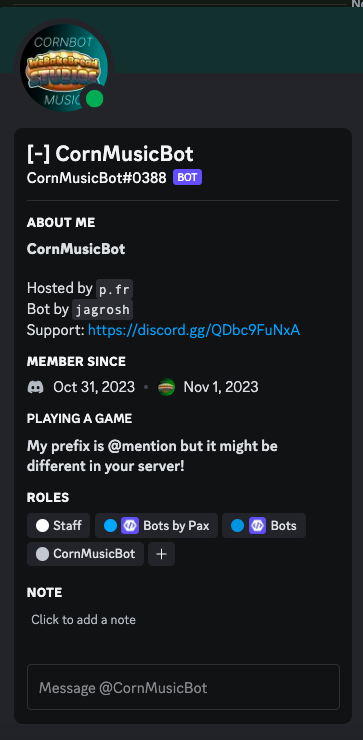
Get CornMusicBot for your server today.
CornMusicBot is the best music bot out there, hosted out of Jagrosh's MusicBot.
Ready to setup your bot to the best you can? This guide will help you set it up the best we can!
CornMusicBot is the easiest to setup, so that's why it gets to go first! Hah, so special. This quick guide will go over changing the bot's prefix, and setting a text channel/voice channel where the bot will only respond.
Since your prefix may vary by server, all prefixes are mentioned as [p] excluding the first one (changing the bot's prefix)
1. Changing the bot's prefix
It's a lot easier if you change the bot's prefix to something else. Mention @CornMusicBot and then right after use this syntax:
@CornMusicBot prefix [prefix]
This will change your prefix to whatever you'd like. The preferred prefix is -.
2. Setting up a Text Channel
You can set up a text channel that the bot will only respond in (Must be in that channel for bot to work)
[p]settc [#channel]
3. Setting up a Voice Channel
You can set up a voice channel that the bot will only play music in (Must be in that VC for bot to work)
[p]setvc [channel name]
4. Basic Commands
You can use these basic commands to function the bot:
[p]play [song name/playlist URL/media file URL (aka. cdn.discordapp.com - uploaded .mp3s, etc.)]
[p]stop
[p] volume (1-150)
[p]queue
5. If you need more commands
Just run the simple command of
[p]help
CornMusicBot is the best music bot out there, hosted out of Jagrosh's MusicBot.
⚠️ To receive changelogs, important announcements, and other info without joining the CornBot Support server, run the command !announceset channel <channel> with <channel> being the channel you want all updates to be in. These are not server-specific and can be public.
It's time to setup the warning system! But first, you need a mod log channel to get the descriptive information. Here's the syntax to set a modlog channel:
!modlogset modlog <channel>
If you want to allow your members to use custom reasons when warning members:
!warningset allowcustomreasons true
If you do not, read the Warnings commands in detail. To find them, run the command !help and check your DMs.
CornBot can use an existing Muted role or can create one for you.
Create one for me:
!muteset makerole <name>
To use an existing role:
!muteset role <name>
Get notified of issues with muting/unmuting:
!muteset notification <channel>
We know, it's not in much detail, but we've gotta focus on the rest of the CornBot project. Want to help? Click below to head to our jobs page!